
Every meeting notetaker calls itself "local" or "private" now. The word has become a marketing checkbox. But local means wildly different things depending on which tool you pick.
Some tools transcribe on your device but send the transcript to a cloud LLM for summarization. Some store notes locally but make them accessible via a shareable link by default. Some process everything on-device but only work on one operating system, or only on recent hardware. And some are fully local until you look at the fine print and discover your data trains their models unless you opt out.
I tested five tools that take different positions on this spectrum. For each one, I dug into what "local" actually means in practice: what stays on your machine, what leaves, what the tradeoffs are, and what it costs.
How These Local AI Meeting Notetakers Compare
| Tool | Best For | Pricing |
| Char | Users who want complete control over data and AI stack | Free (local/BYOK), Pro $25/mo |
| Meetily | Teams on Windows or Mac who want a polished open-source option | Community free, Pro $10/mo |
| Shadow | Client-facing roles who need screen capture alongside audio | Free transcription, Plus $8/mo |
| Talat | People who want Granola's UX without the cloud, for a one-time fee | $49 pre-release, $99 at 1.0 |
| Screenpipe | Developers who want meeting notes as part of full desktop memory | $400 lifetime |
5 Tools for Local AI Meeting Notes: A Closer Look
1. Char
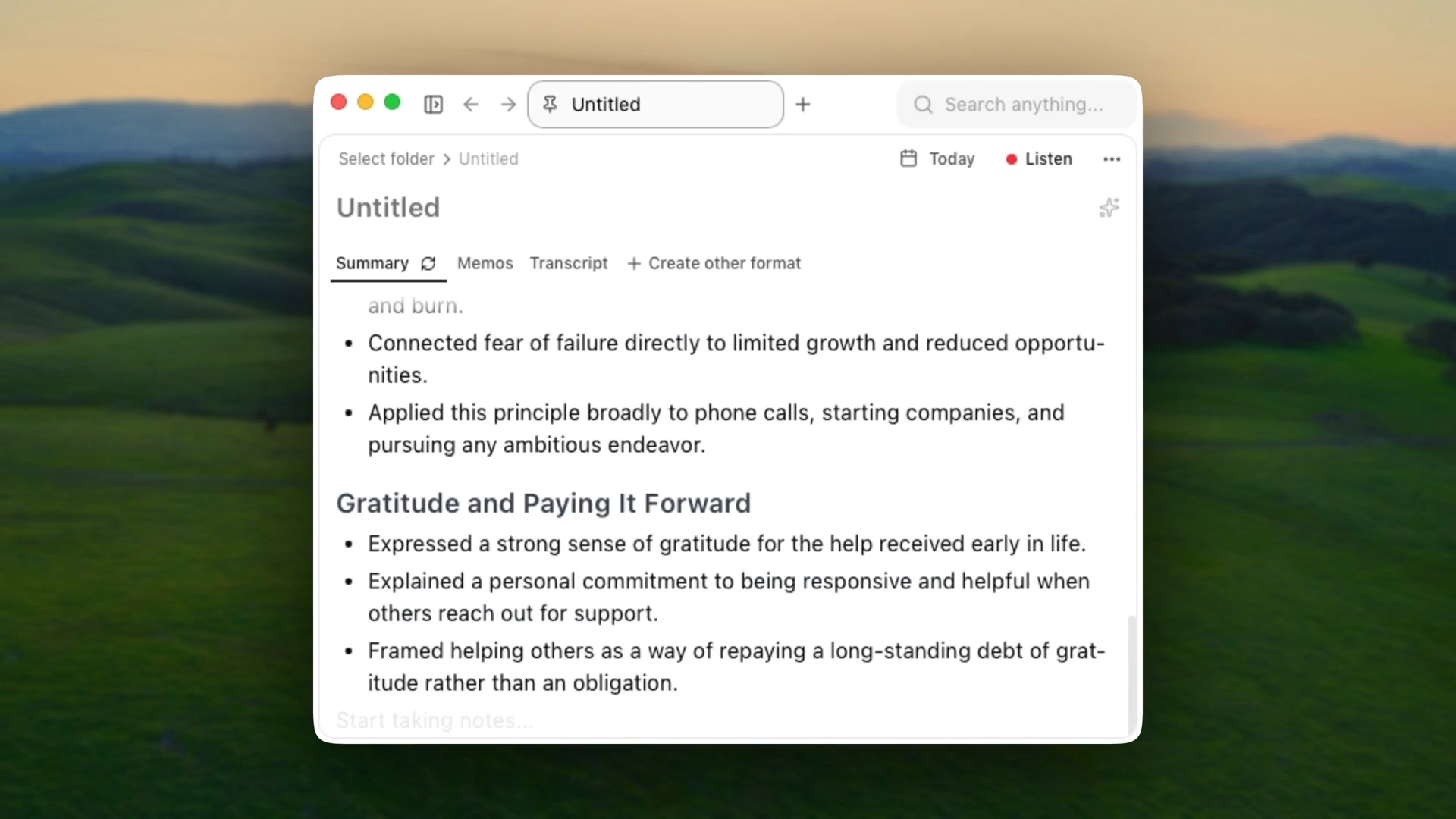
Char is an open-source AI notepad for meetings, built for people who want complete control over their data and AI stack. It captures system audio from any meeting platform without joining your call and without requiring calendar permissions.
You can take notes during the meeting in Char's built-in editor while it transcribes in the background, and the AI combines both into a structured summary after the call.
The AI stack is yours to choose: Char's managed cloud service, your own API keys from OpenAI, Anthropic, or Deepgram, or fully local models through Ollama or LM Studio for offline operation. Every audio file, transcript, and note lives on your computer. You decide if data ever leaves your device.
How local is it actually
- Transcription: local or BYOK. Supports Ollama and LM Studio for fully on-device processing.
- Summarization: your choice. Managed cloud, BYOK API keys, or local models. You control the boundary.
- Storage: all data stored locally on your device. Your files, your folder structure, zero lock-in.
- Open-source codebase. Your security team can audit exactly how data is handled.
If you run Char with local models, nothing leaves your machine. If you plug in an API key, only the transcript goes to that provider for summarization. For companies that have banned cloud-based meeting tools, Char is one of the few options where "local-first" means exactly what it says.
Where it falls short
- macOS and Linux only. No Windows client yet.
- No mobile app, no video recording.
- No built-in CRM integrations. If you need notes pushed into Salesforce, you will need to build that yourself.
- No team dashboard or cross-meeting cloud search. Your notes live in your file system.
Pricing
Free for unlimited loacl transcription and AI. A lite plan at $8/month with Char cloud and pro at $25/month for integrations, advanced templates, and more.
2. Meetily
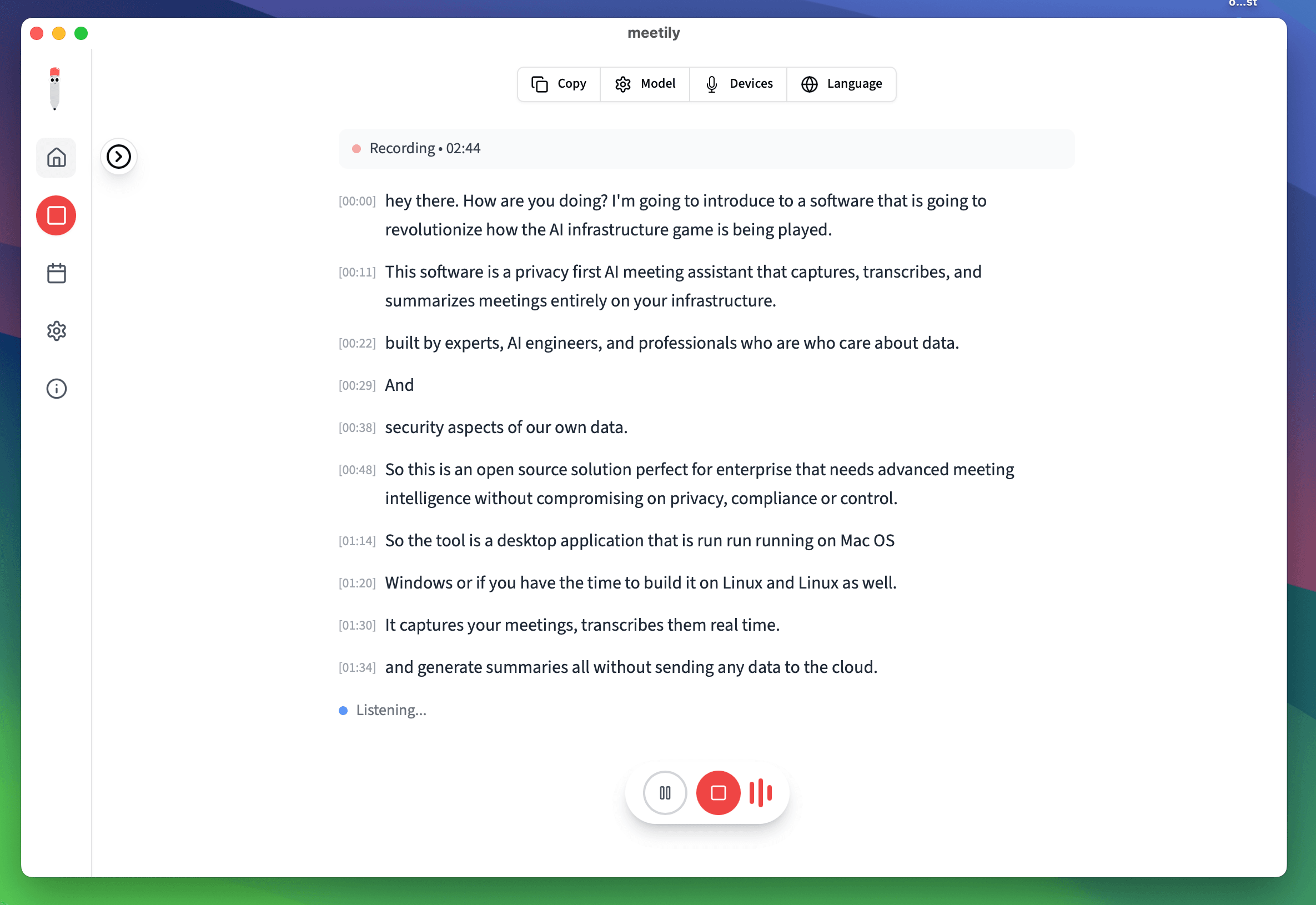
Meetily is an open-source meeting assistant (MIT license) that runs transcription entirely on your device using Whisper or Parakeet models.
It captures system audio without a bot, works with Zoom, Teams, Meet, and anything else that produces audio on your machine. Parakeet is the default engine and runs significantly faster than Whisper with lower resource usage, with GPU acceleration built in for Apple Silicon, NVIDIA, and AMD hardware.
Summaries are pluggable: use Ollama for fully local processing, or connect your own API key to Claude, Groq, or OpenRouter. The app is built in Rust with a Next.js frontend and ships as a single installer for macOS and Windows. Linux users can build from source.
How local is it actually
- Transcription: 100% local. Whisper or Parakeet models running on your hardware.
- Summarization: pluggable. Ollama for fully local, or BYOK with cloud providers.
- Storage: local SQLite database. Audio files stored on your device.
- GPU acceleration: Apple Silicon (Metal), NVIDIA (CUDA), AMD/Intel (Vulkan).
The team is transparent that local model summarization does not match cloud quality yet, especially on longer meetings. They document the tradeoffs in their blog and are actively working on closing the gap.
Where it falls short
- Speaker diarization is still in development.
- Local summarization quality lags cloud on long meetings.
- Linux requires building from source.
- No mobile app.
Pricing
Community Edition is free forever. Pro is at $10/month, billed annually, includes enhanced accuracy models, auto-meeting detection, PDF/DOCX export, and custom templates.
3. Shadow
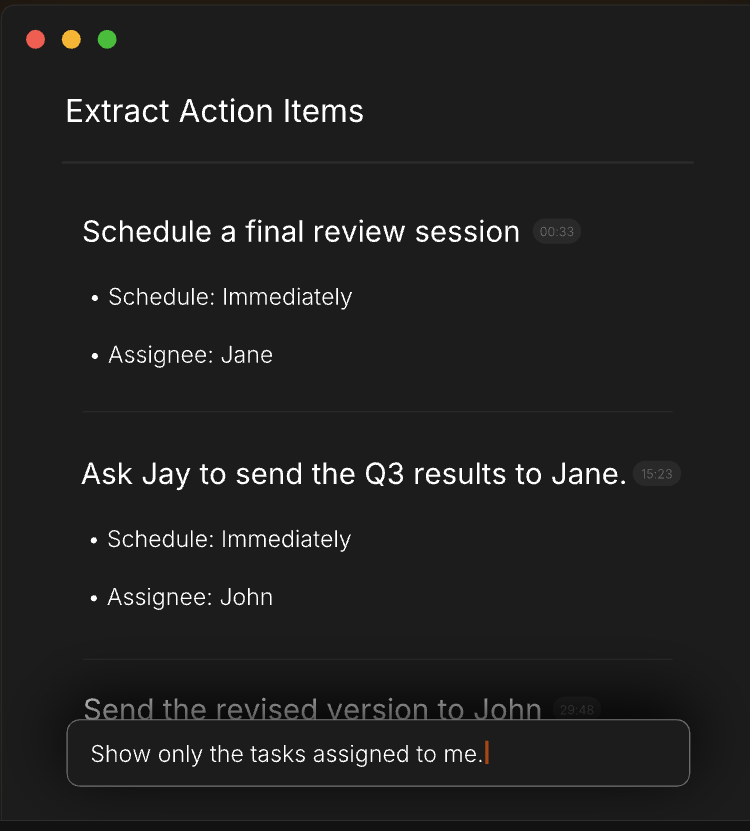
Shadow captures both channels of a meeting: what is said and what is shown on screen. It runs on macOS, records system audio without a bot, and automatically takes timestamped screenshots of whatever is displayed during your call: slides, code, dashboards, design mockups. Those screenshots are embedded directly in your notes alongside the transcript.
This matters the moment someone says "look at the numbers on slide four" and you need to know what those numbers were. Every other tool on this list captures audio only. Shadow also has autopilot mode that detects meetings and starts recording without you pressing anything, real-time speaker identification, and custom post-meeting AI "Skills" that run automatically.
How local is it actually
- Transcription: local. Audio never leaves your Mac.
- Screen capture: local. Screenshots stored on device.
- Summarization: cloud LLM APIs by default. Can be disabled, but you lose summaries, action items, and the "Ask Shadow" chatbot.
- Export: .md files to a local folder. Works with Obsidian out of the box, webhooks for Zapier/Make/n8n.
Shadow is local for capture but not fully local for intelligence. The AI features route through external APIs. You can turn them off and keep just the transcript and screenshots, but then you lose the analysis layer.
Where it falls short
- macOS only.
- AI features use cloud APIs, so not fully local end-to-end.
- Free tier caps AI-powered features at 25 lifetime meetings.
- No real-time collaborative editing.
Pricing
Free for unlimited transcription and 25 lifetime meetings for AI features. Plus, at $8/month, billed annually.
4. Talat
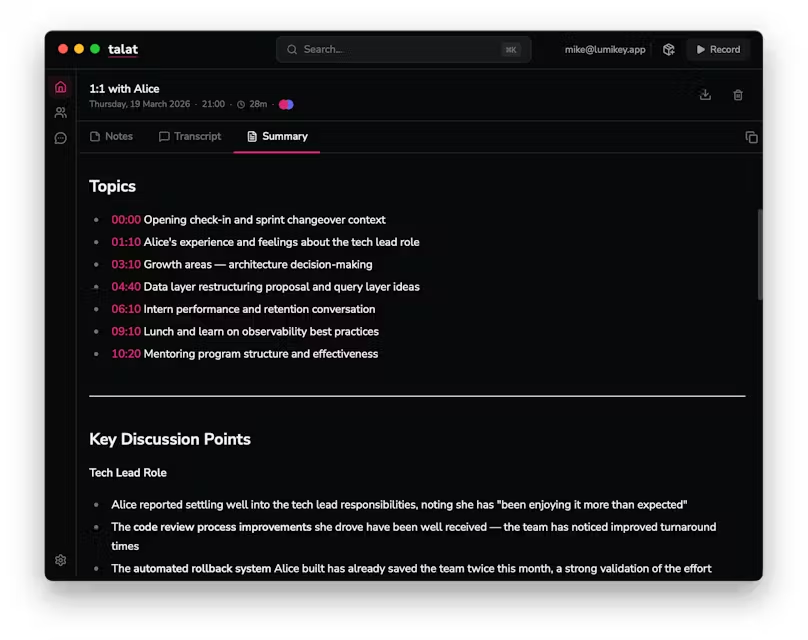
Talat runs transcription and summarization entirely on your Mac's Neural Engine. It captures both sides of your call (system audio and microphone), transcribes in real time with speaker identification, and generates summaries using a local LLM (Qwen3-4B-4bit by default). The whole app is 20 MB. It detects when a conferencing app grabs your microphone and starts recording in the background.
The focus is configurability. You choose your LLM provider: the built-in local model, OpenAI, Anthropic, OpenRouter, or Ollama. You can write custom summarization prompts, auto-export notes to Obsidian, fire webhooks when a meeting ends, and run an MCP server so AI coding tools can query your meeting history. No analytics, no telemetry, no data collection.
How local is it actually
- Transcription: 100% on-device via FluidAudio on Apple's Neural Engine. Audio never leaves your Mac.
- Summarization: local by default (Qwen3-4B-4bit). Optional BYOK with OpenAI, Anthropic, OpenRouter, or Ollama.
- Storage: local database. Auto-export to Obsidian, webhooks, MCP server.
- Zero analytics, zero telemetry.
If you never configure a cloud LLM, nothing leaves your machine. Talat was featured in TechCrunch in March 2026 and is a one-time purchase from a bootstrapped two-person team.
Where it falls short
- macOS only, M-series chips only (M1 or later).
- Pre-release software. Speaker diarization is rough.
- Local LLM summarization can be hit or miss on longer meetings.
- No calendar integration yet (planned).
Pricing
$49 one-time purchase (pre-release price). $99 at version 1.0. 10 hours of free recordings to try before buying.
5. Screenpipe
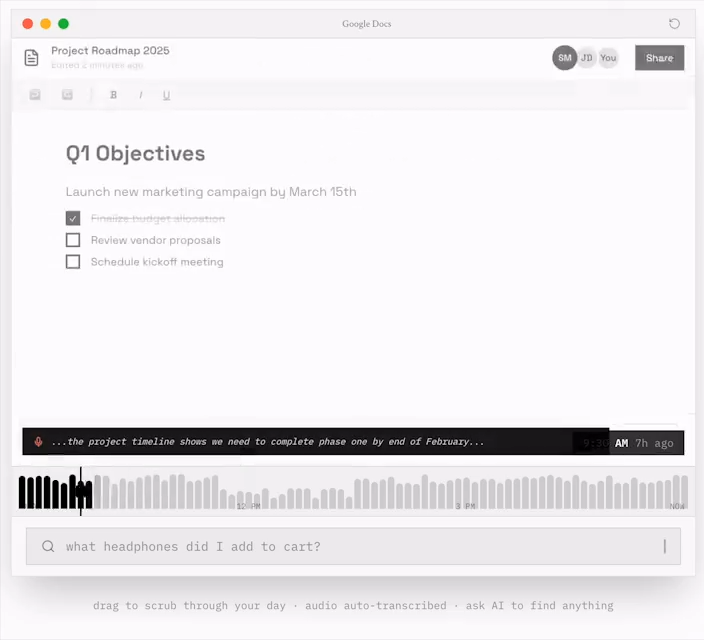
Screenpipe records your screen and audio 24/7, transcribes everything locally with Whisper, and indexes it in a searchable local database.
It is not a meeting tool. It is an open-source AI memory layer for your entire desktop that happens to be very good at meeting notes, because meeting notes are a side effect of it always running.
After a call, you ask the AI: "Summarize my meeting from 2 to 3pm and list action items." Screenpipe searches your audio transcripts and screen content from that time window.
It captures what audio-only tools miss: the URL someone dropped in the Zoom chat, the spreadsheet someone shared, the code someone walked through in a terminal. It also runs as an MCP server, so Cursor, Claude Code, and Cline can query your meeting history directly.
How local is it actually
- Transcription: local Whisper by default. Optional Deepgram (cloud) for faster processing.
- Summarization: any model. Ollama for local, or connect cloud models.
- Storage: local SQLite database in ~/.screenpipe/data/.
- Screen capture: local. Accessibility APIs + OCR fallback.
- Runs on macOS, Windows, and Linux. MIT-licensed open source.
Where it falls short
- Not purpose-built for meetings. Always running, always capturing.
- Higher resource usage (~5-10% CPU, ~20 GB storage/month).
- Setup is more involved: configuring audio devices, transcription engines, pipe automations.
- $400 is steep if you only want meeting notes.
Pricing
$400 lifetime (one-time). All features, all future updates. $600 lifetime + 1 year of Pro (cloud sync, priority support).
Which Local AI Meeting Notetaker Is Right for You?
Local processing means accepting tradeoffs. Local models are not as accurate as cloud transcription on messy audio, speaker diarization is still maturing across the board, and most of these tools are macOS-only or macOS-first. The gap is closing fast, though, and for anyone handling sensitive conversations, the architectural guarantee that your audio never left your device is worth more than a privacy policy that can change with a terms-of-service update.
Char is the strongest choice if you want complete control: open-source, your choice of AI provider, and data that lives on your device in a format you own.
Meetily is the best open-source option if you need Windows support or want a free polished app.
Shadow is the only tool that captures what is on screen alongside what is said.
Talat is for people who loved Granola but could not accept cloud dependency, and it is the only one-time purchase purpose-built meeting tool here.
Screenpipe is the power user's option: not just meeting notes but a searchable memory of your entire workday.
If you want to start with local AI meeting notes that give you full ownership, try Char. It is free, open-source, and works offline with local models. Your first meeting's notes will land on your device, readable by any tool you already use.
Frequently Asked Questions
1. Is Granola a local AI notetaker?
No. Granola captures system audio locally, which is why it gets grouped with local tools, but the similarity ends there. Your audio is sent to Deepgram for transcription, your transcript is processed through GPT-4o or Claude for summarization, and your notes are stored on AWS servers. There is no offline mode and no option to run local models. Granola is a cloud tool with a local audio capture step.
2. Can I use these tools for in-person meetings?
Yes. Tools that capture microphone input (Char, Meetily, Talat, Screenpipe) work for in-person conversations. Place your laptop near the speakers and let the mic pick up the room. Speaker diarization accuracy varies since it was primarily designed for virtual calls with separate audio channels.
3. Do local meeting notetakers work offline?
If both transcription and summarization use local models, yes. Char with Ollama, Meetily with Parakeet + Ollama, Talat with its built-in LLM, and Screenpipe with local Whisper all work without an internet connection. Shadow's transcription works offline but the AI summary features need a connection.
4. What hardware do I need to run local transcription?
Most tools work on any Mac from the last five years. Apple Silicon (M1 or later) gives the best performance due to the Neural Engine. Intel Macs are supported by Meetily and Screenpipe but transcription will be slower. Talat requires M-series specifically. On Windows, a modern multi-core processor with 8+ GB RAM handles Whisper fine. A dedicated GPU (NVIDIA with CUDA) speeds things up significantly for Meetily and Screenpipe.
5. Is it legal to record meetings without telling participants?
Recording laws vary by jurisdiction. In many US states and most of Europe, you need consent from all parties to record a conversation. The fact that these tools do not send a bot into the meeting makes them less visible, but that does not remove your legal obligation to inform participants. Always tell the people on your call that you are recording.
6. Are local AI meeting notes as accurate as cloud-based tools?
It depends on the model and your hardware. Cloud transcription services like Deepgram still have an edge on messy audio, heavy accents, and cross-talk. But local models like Parakeet and Whisper Large V3 have closed the gap significantly, especially on clear audio from a decent microphone. For most one-on-one and small group calls, the difference is negligible.