
Meetings are a category of problems that no single tool can solve. You need the right time to meet, a way to stay engaged during the meeting, a place to capture what was discussed, somewhere to ideate visually, and a calendar that isn't completely dominated by other people's priorities.
Most "best tools for meetings" articles hand you a list of 25 apps and call it a day. This one doesn't. We picked five tools and focused on being honest about what each one actually does well and where it falls short.
Here's what we're covering:
- Char: for capturing what happens in meetings without giving up control of your data
- Calendly: for scheduling meetings without the back-and-forth
- Grain: for teams that need to record, share clips, and sync meeting insights to a CRM
- Miro: for visual thinking and collaboration during and around meetings
- Reclaim.ai: for protecting your calendar from being eaten alive
Let's get into it.
5 best meeting productivity tools in 2026
1. Char: best AI notepad for meetings
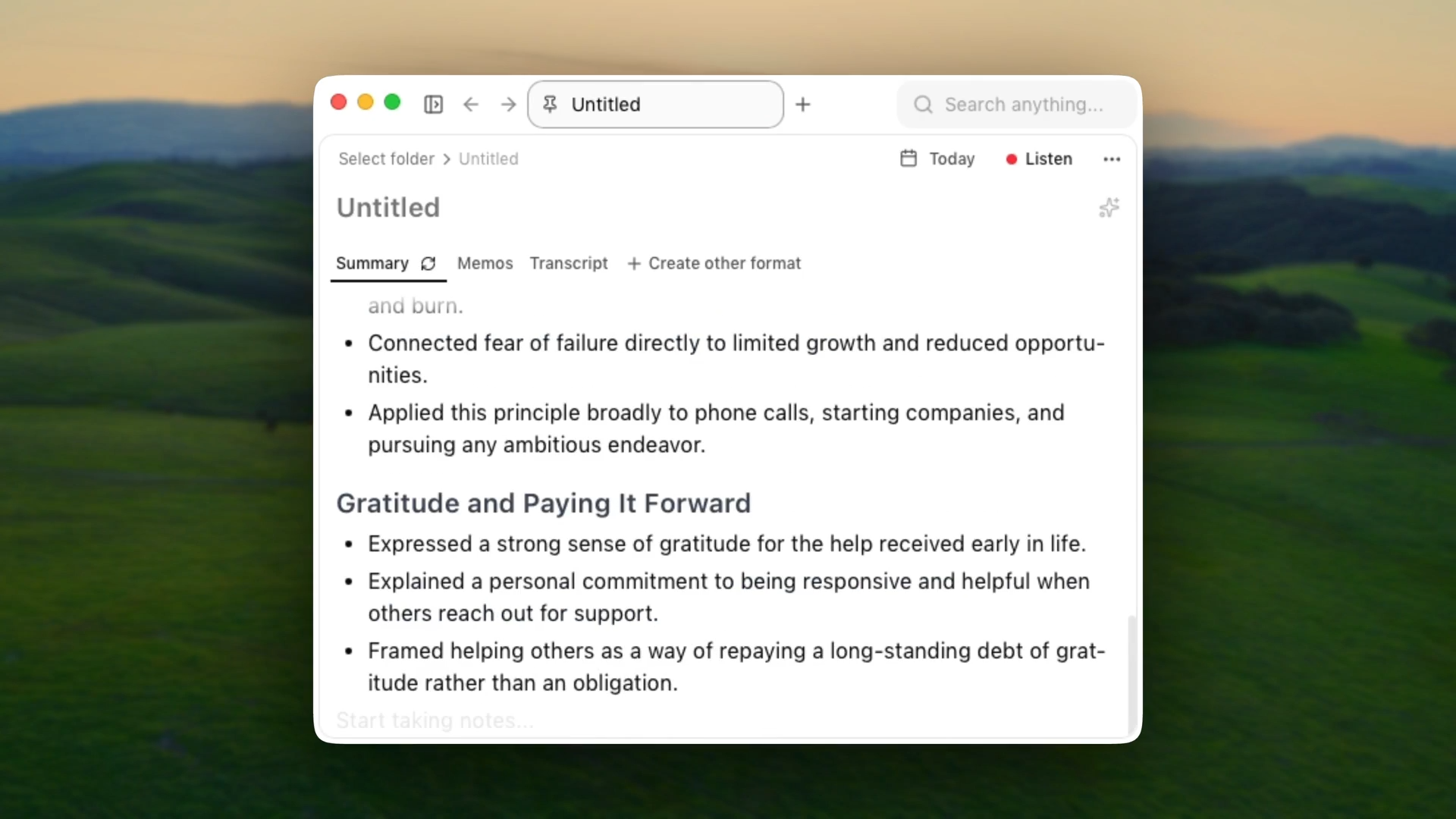
Most AI meeting tools make the same trade: convenience in exchange for your data living in someone else's database, locked into their format, processed by their AI. Char doesn't make that trade.
Char (formerly Hyprnote) is an open-source AI notepad for meetings, built for people who want complete control over their files, their AI stack, and what happens to their data.
Every meeting is saved as a plain .md file on your device. You choose which AI processes it. Nothing is locked behind Char's ecosystem.
That design is deliberate. Engineers, developers, and privacy-conscious professionals in fields like law, healthcare, and finance don't want a SaaS tool deciding what happens to their meeting data.
Key Features
- System audio capture - no bots, no calendar access, works on Zoom, Teams, phone calls, and in-person conversations
- Real-time transcription - live transcript as the meeting happens, so you can stay present instead of furiously typing
- AI summaries - combines your notes and transcript into structured summaries with action items
- Your choice of AI stack - use Char's managed cloud, bring your own API keys (OpenAI, Anthropic, Deepgram), or run fully local via Ollama or LM Studio
- Plain markdown files - every meeting is a .md file on your computer; open it in Obsidian, VS Code, Notion, anywhere
- Custom templates - reusable structures for recurring meeting types
- AI chat + semantic search - query your transcripts after the fact, search across all past meetings
- Open source - the code is auditable; IT and security teams can review before approving
Pros
- True data ownership - your files, on your device, not in someone's database
- No lock-in of any kind: portable format, swappable AI providers, works with any editor
- Works for any conversation - phone calls, in-person meetings, anything with audio, not just scheduled video calls
- Fully local mode available for teams that can't send data to any external service
- Open source builds trust with security teams; the code is there to inspect
Cons
- macOS only currently - Windows and Linux coming in Q2 2026
- No mobile app, so in-person meetings away from your computer aren't captured
- No video recording - notes and transcripts only
Pricing
Free with local transcription or bring-your-own API keys. Pro is $25/month for the managed cloud service.
2. Calendly: best for scheduling without the email back-and-forth
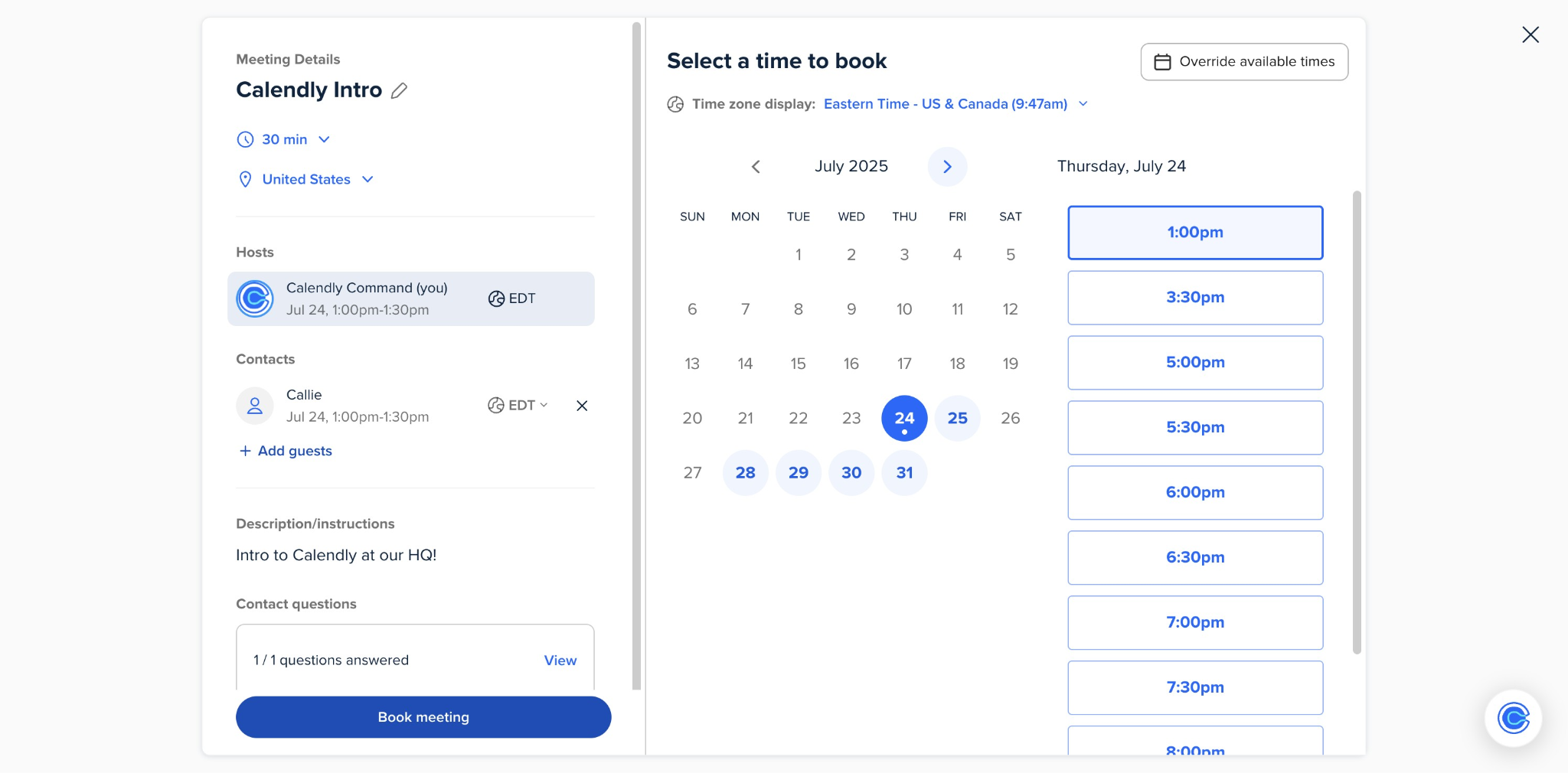
You share a link, the other person picks a time, it lands on both calendars. That's the premise, and Calendly executes it cleanly.
What makes it more than a booking page is how much complexity it absorbs underneath: multiple calendars, team routing, automated follow-ups, while the person booking sees nothing but a simple interface.
For groups where no one shares a calendar - cross-company sessions, client kickoffs - Doodle is cleaner.
Key Features
- Calendar sync - checks up to six calendars simultaneously to prevent double-bookings
- Event types - different meeting templates, each with their own availability rules and buffer times
- Workflows - automated reminders and follow-ups before and after meetings
- Team scheduling - Round Robin routing and Collective scheduling for multi-host meetings
- Video conferencing integration - auto-generates Zoom, Google Meet, or Teams links for every booking
Pros
- Once it's set up, scheduling just happens - the back-and-forth stops
- Automatic timezone detection handles international meetings without anyone thinking about it
- Free plan is genuinely usable for basic individual scheduling
Cons
- Core features like automated reminders and custom branding are locked behind paid tiers
- Public links attract spam bookings
Pricing
Free plan with one event type. Standard is $12/user/month, Teams is $20/user/month.
3. Grain: best for teams that need to share meeting clips
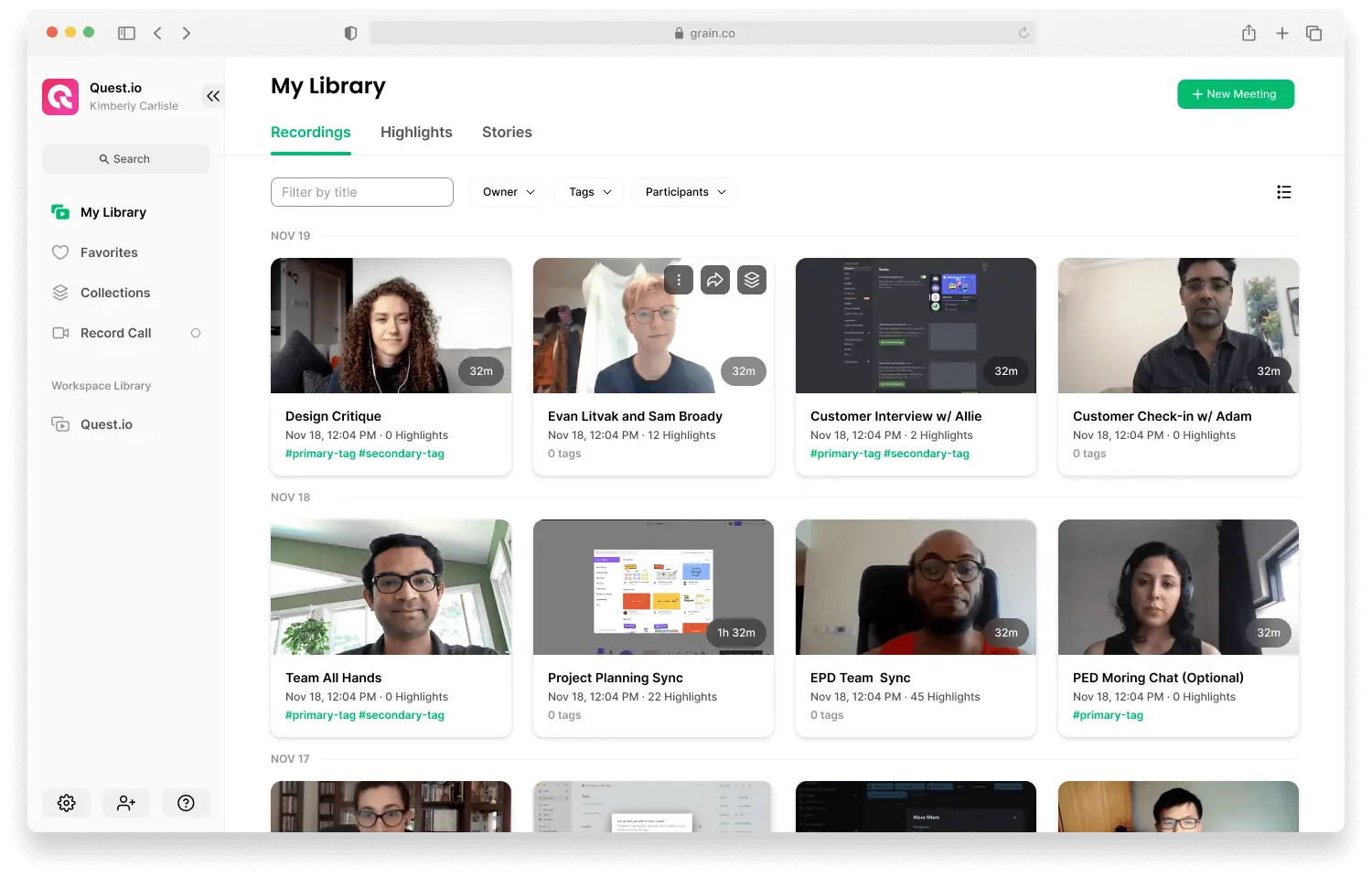
Grain is a video-first AI note-taker that joins your meetings as a bot, records the video, transcribes it, and gives you a summary with chapters and action items.
Key Features
- Automatic recording and transcription - bot joins Zoom, Google Meet, or Teams; speaker-labelled transcript with filler word removal
- AI summaries - chapters, outcomes, and action items with assigned owners
- Video clips - create shareable clips from any transcript moment; organize into playlists
- CRM sync - notes and properties auto-sync to HubSpot and Salesforce; no manual data entry
- AI chat - ask questions about the transcript after the meeting
Pros
- Video clips are genuinely useful - sharing a precise 90-second moment beats sending a full recording
- CRM sync means the data entry that normally gets skipped actually happens
- Free plan is generous: unlimited recordings with one Notetaker seat
Cons
- A bot joins the call and announces the recording - no discreet capture option
- One meeting at a time - if you're double-booked, one call won't be captured
- No mobile app for in-person recordings
Pricing
Free plan with unlimited recordings (one Notetaker seat). Starter is $19/user/month, Business is $39/user/month. 14-day trial available.
4. Miro: best collaborative whiteboard for meetings and workshops
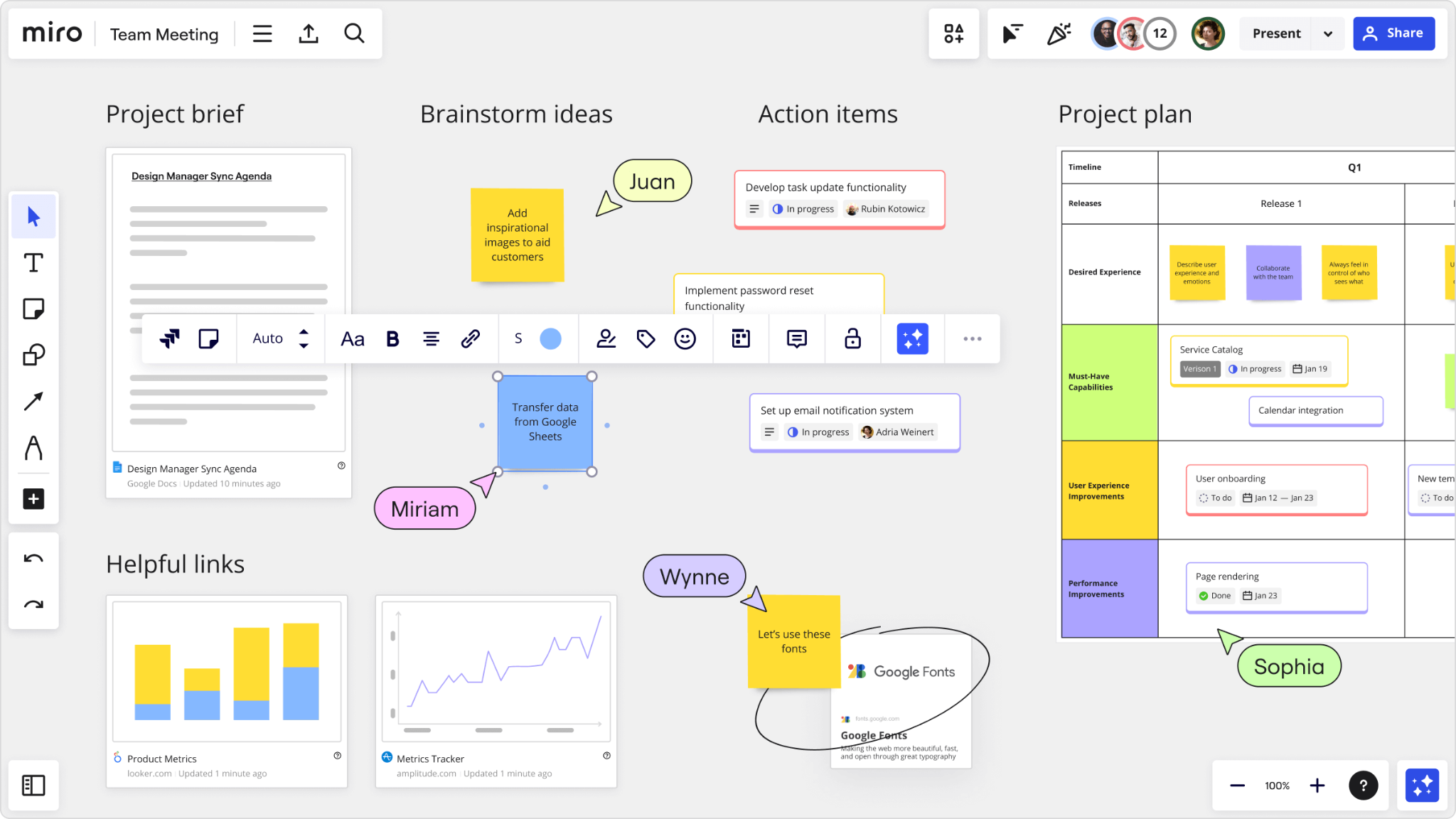
If you've ever watched someone share their screen, open a Google Doc, and spend 30 minutes trying to explain something that needed to be drawn, you understand what Miro solves.
It's an infinite collaborative canvas, and the most capable digital replacement for a physical whiteboard that exists right now.
Key Features
- Infinite canvas - unlimited space, zoomable, no page constraints
- 2,000+ templates - retrospectives, roadmaps, design sprints, user journey maps, and more
- Real-time and async collaboration - edit simultaneously or let teammates contribute on their own time
- Facilitation tools - timers, voting, and presenter controls for running structured workshops
- Interactive presentation mode - present directly from the board while keeping full editing access
Pros
- Nothing else comes close for visual collaboration - the infinite canvas genuinely changes how teams think together
- Strong for both live sessions and async work, which most tools aren't
- Easy to get started; most people figure it out without a tutorial
Cons
- Large boards can get slow
- Free plan caps you at three editable boards, which runs out quickly
- Needs a solid internet connection; offline use is limited
Pricing
Free plan with three editable boards and unlimited collaborators. Starter is $8/user/month billed annually.
5. Reclaim.ai: best for protecting your calendar from everyone else
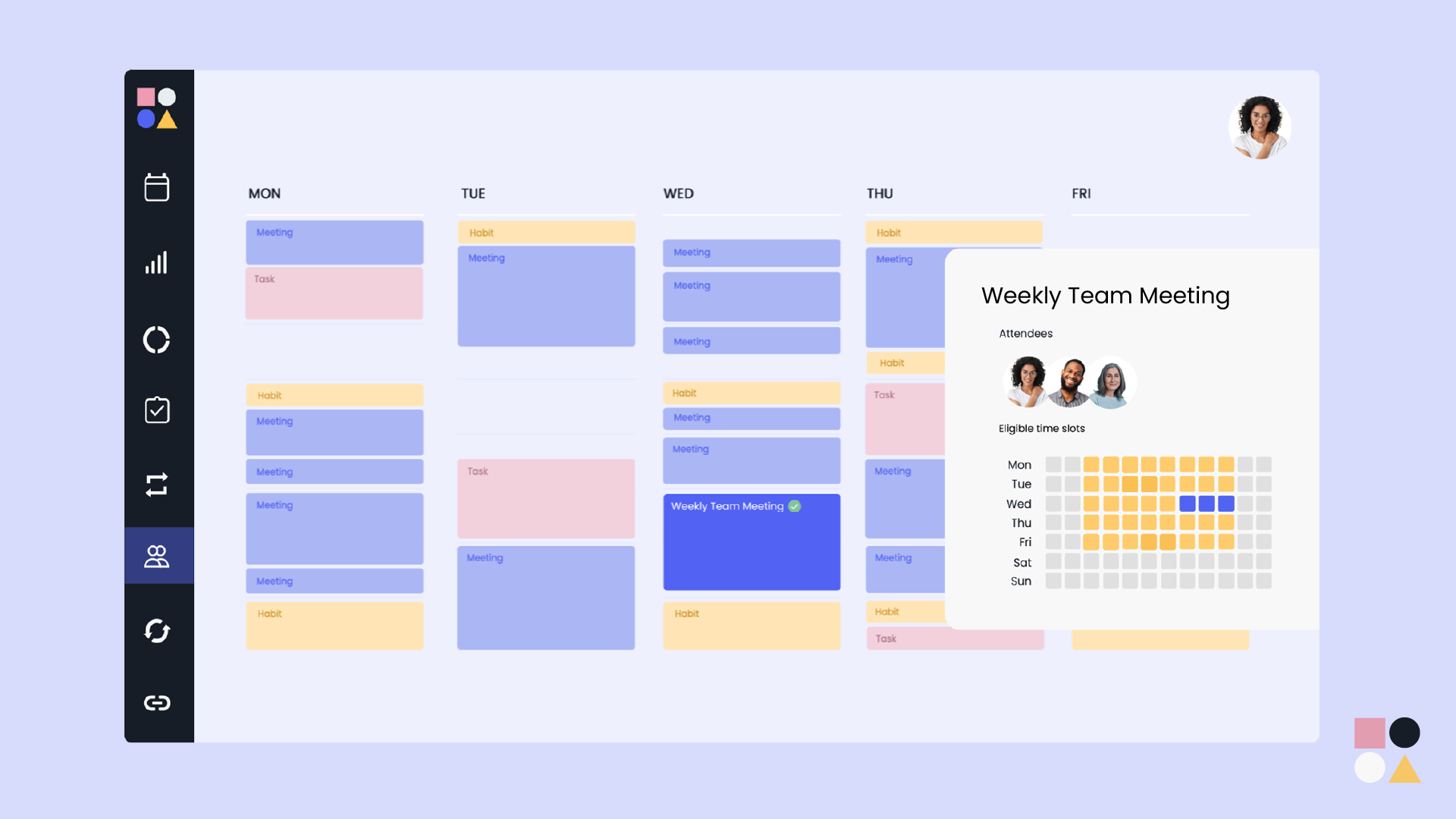
You can use every tool on this list correctly and still end up with a week that's wall-to-wall meetings and no time for actual work. That's where Reclaim comes in.
It sits on top of your Google Calendar or Outlook as an intelligent layer - you tell it your priorities (focus time, lunch, recurring 1:1s), and it finds the best times, marks them appropriately, and reshuffles lower-priority blocks when something more important needs the slot. Your calendar ends up reflecting what you actually want your week to look like.
Key Features
- Focus Time - set a weekly deep work goal; Reclaim automatically defends that time around your existing commitments
- Habits - flexible recurring blocks for routines that auto-reschedule when meetings move
- Smart Meetings - recurring meetings that find the best time across everyone's calendars and adapt to conflicts and PTO
- Scheduling Links - booking links that understand your priorities and offer availability over events you'd be willing to move
- Task scheduling - integrates with Asana, Todoist, Jira, and others to put actual work on your calendar
Pros
- Once configured, your calendar reflects your priorities rather than just everyone else's requests
- The priority system is smart - higher-priority items automatically overbook lower-priority ones
- Free plan is genuinely useful, not just a trial
Cons
- No mobile app - a real gap for managing your schedule on the go
- Works best for internal scheduling; less useful if most of your meetings are external
- Takes a week or two of tuning before the scheduling logic really clicks
Pricing
Free Lite plan forever (no credit card required). Starter is $12/user/month.
Quick recap of the top 5 meeting productivity software
These five tools solve different parts of the same problem:
Getting on the calendar without the email chain: Calendly (or Doodle for group polls)
Capturing what was said and decided: Char (zero lock-in, no bot, your AI stack) or Grain (team-first, video clips, CRM sync)
Thinking visually together: Miro
Protecting time for actual work: Reclaim.ai
None of these replace each other. And none of them replace the part where you actually pay attention and do the work. But if you're losing hours every week to scheduling friction, forgotten decisions, or a calendar you feel like you have no control over - starting with even one of these changes the situation meaningfully.
We're biased, but we'd start with Char. Not because it's ours, but because if you're not capturing what's actually happening in your meetings - on your terms - every other optimization sits on a leaky foundation.